

sajjadwpsprintplan's Store
Owned by sajjadwpsprintplan Joined Oct 2023 2 Listings
sajjadwpsprintplan's Store
easyid.me/biz/sajjadwpsprintplan-ac0287 • Verified Store
Scan to open official EasyID digital store, view live catalog, or save business card.
Verified Merchant
EasyID Certified Seller
Fast 24h Packing
Direct courier dispatch
Zero Escrow Direct
Direct merchant settlement
Store Listings (2)
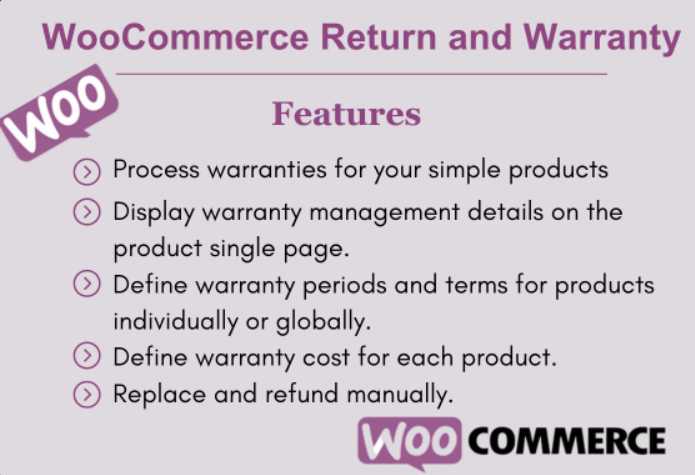
WooCommerce Return and Warranty
[a]https%3A%2F%2Fwpsprintplan.com%2Fproduct%2Fwoocommerce-return-and-warranty%2F[/a] <br>Short Description : WooCommerce Return and Warranty plugin, which manages returns and warranties, enables eCommerce store owners to handle these processes. Customers’ requests for product returns are managed via the WooCommerce Return and Warranty plugin. It’s an easy-to-use but effective solution for your WooCommerce workflow. <br>CATEGORY: <a href="#">API Integration</a> <br>TAGS: WooCommerce Return and Warranty, woocommerce warranties and returns <br>Description <br>WooCommerce Return and Warranty for allows you to process warranties from the WooCommerce admin! Once you find the order, click Create Request and process the warranty for the customer. How much information you request or require is up to you. An administrator can modify warranty options indefinitely or cancel all return and warranty requests at once using an intuitive interface. Owners of online stores have to deal with returns and refunds every day. Customers might want you to replace the original goods they bought or return it for a refund. <br> <br>The returned item will then need to be replaced or refunded by you. When thinking about an eCommerce business strategy, you must build your website with alternatives for warranties, refunds, and no warranties. <br> <br>A mechanism for managing returns and warranties is now available. This plugin makes handling refund or replacement requests and handling warranties a breeze! <br> <br>WooCommerce Return and Warranty Features <br>Process warranties for your simple products. <br>Present warranty management information directly on the individual product pages. <br>Define warranty cost for each product. <br>Replace and refund manually. <br>Highlight the inclusion of a straightforward product return and refund process, applicable to a wide array of items. <br>Empower administrators to design custom request forms for customers via an intuitive form builder. The form builder offers a range of field options, including Text, Textarea, Select, Checkbox, and HTML. <br>Set Variable product warranty for different variations. <br>Admin can set warranty per category wise. <br>Instant refund from return requests. Admin will be able to process refund for your products instantly from request table. <br>Refund as a Store Credits. Admin can send coupon to the customer in their billing email equivalent to request amount in exchange of their previous purchase. <br>Store Admin can message smoothly with your customers regarding products replacement or refund. <br>Integrate the capability to append supplementary fields to the customer request form, enhancing flexibility and customization options. <br>Integrated with WooCommerce PDF Invoices & Packing Slips. <br>How Does This Plugin Work? <br>After activating the plugin, a new sub-menu titled “Return Request” will become visible within your dashboard. This sub-menu unfolds to reveal two distinct pages: “Requests” and “Settings.” Under the Settings section, a triad of tabs is presented: “General,” “Default Warranty,” and “Frontend.” <br> <br>Within the General tab on the Settings page, two distinct clusters are accessible: “Order Status to Allow Warranty Request” and “Returned Status.” The “Order Status to Allow Warranty Request” function empowers you to define a criterion that determines when customers are eligible to initiate warranty requests. Conversely, the “Returned Status” feature displays the status of newly submitted requests. <br> <br>Transitioning to the Default Warranty tab, you are afforded the capability to configure designations such as Label, Type, and Add-On Warranty. Type has Three options – No Warranty, Included Warranty, and Price base warranty. <br> <br>How will WooCommerce Return and Warranty benefit you? <br>In your WooCommerce store, you can manage the warranty and refund policies. <br>While upholding your company’s return policy and standards, WooCommerce Return and Warranty <br>makes it simple to manage WooCommerce warranties. <br>You can handle warranty requests for your items one at a time or separately. <br>Setting the warranty term, value, and period is quite simple. <br>The customer will have simple access to their account to request and manage a refund or replacement. <br>For simplicity, you can utilise filters to define your own unique warranty statuses. <br>You may follow the request’s development using the status. <br>Finally, this plugin will help turn your eCommerce business into a success!
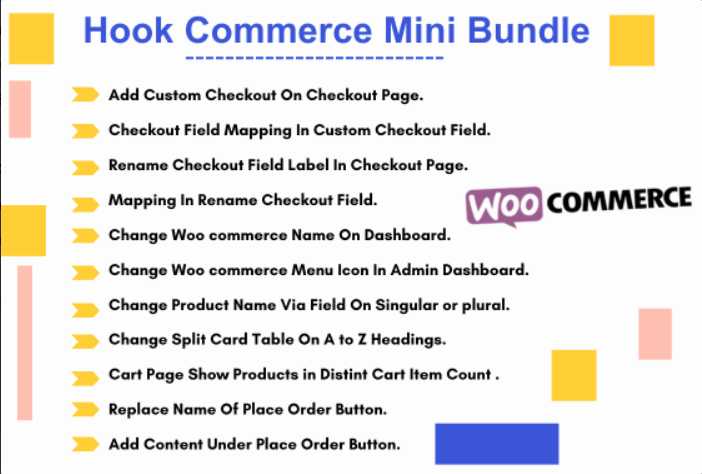
Hook Commerce Mini Bundle
[a]https%3A%2F%2Fwpsprintplan.com%2Fproduct%2Fhook-commerce-mini-bundle%2F%0ADescription[/a] <br>You Can Easily Integrate Custom Features, or third-party services into your WooCommerce pages without the need for extensive coding knowledge. hook commerce plugin simplifies the process of customising your online store, making it easier to create a unique and tailored shopping experience for your customers. <br> <br>WooCommerce snippets from the WordPress admin backend. With this plugin, you can easily enable or disable specific code snippets, Customize their Behavior, and enhance your online store’s functionality without any coding knowledge. <br> <br>== Feature == <br> <br>Add Custom Checkout On Checkout Page. <br>Checkout Field Mapping In Custom Checkout Field. <br>Rename Checkout Field Label In Checkout Page. <br>Mapping In Rename Checkout Field. <br>Change Woo commerce Name On Dashboard. <br>Change Woo commerce Menu Icon In Admin Dashboard. <br>Change Product Name Via Field On Singular or plural. <br>Change Split Card Table On A to Z Headings. <br>Cart Page Show Products in Distint Cart Item Count . <br>Replace Name Of Place Order Button. <br>Add Content Under Place Order Button. <br>== Sync Setting Feature == <br> <br>Search On Your Category or Text On Your Woo commerce. <br>Option To Add Custom Checkout Field and Select Type or Many Option Available on Click on Custom Checkout Fields. <br>Option To Add Custom Checkout Label. <br>Option To Add Woo commerce Admin Mode in Change Plugin Name , Logo and Also Many Options In Admin Mode. <br>Option To Add Woo commerce Cart Option In Distint Cart Item Count and Split Table and Also Select Change Continue Setting Button Link In Selection Page. <br>Option To Add In Change In Checkout Page Submit Button Name, Custom Content Add, And Also More Fields. <br>== Installation == <br> <br>Manual Upload via WordPress Admin : <br> <br>Navigate to the Plugins section and choose Add New from the menu. <br>At the top of the screen, locate and press the Upload Plugin button. <br>From your local filesystem, pick the gh-hook-commerce.zip file. Initiate the installation process by clicking the Install Now button. <br>Upon successful installation, a confirmation message reading “Plugin installed successfully” will appear. <br>Proceed by clicking the Activate Plugin button found at the bottom of the page.Now You Can Find Menu In WordPress Setting In Subnenu Name Click To “Hook Commerce“.
About sajjadwpsprintplan's Store
No description provided.
0.0
Customer Reviews
See what others are saying about sajjadwpsprintplan's Store. We verify purchases to ensure reviews are genuine.
No reviews yet for this store.