Articles

Articles & Insights

Discover, learn, and grow with stories from our ecosystem members.

search
filter_list Category: finance-wealth
close
Valdosta Diesel Repair Finance & Wealth
Oct 24, 2026 • visibility 41 • 1 min read

Valdosta Diesel Repair

When mechanical trouble strikes on the highway or at a busy job site, fast, dependable support becomes more than a convenience—it becomes essential. Valdosta Diesel Repair 

valdostadieselrepair
Read arrow_forward
7 Steps to Resolve QuickBooks Not Connecting to Server Finance & Wealth
Oct 22, 2026 • visibility 30 • 19 min read

7 Steps to Resolve QuickBooks Not Connecting to Server

QuickBooks server connection problems need a clear starting point: identify the task that failed. If employees cannot open a shared company file, investigate the host and network. If the file opens but invoices will not email, investigate the email connection instead. These situations can produce similar wording while requiring different corrections.The QuickBooks Not Connecting to Server issue can affect shared-file access, email delivery, or an established session that suddenly disconnects. This seven-step guide helps you identify the failed connection, apply relevant checks, and verify the result without making unnecessary changes to accounting data.While troubleshooting it, you may not be aware of the technical aspects of this problem. In that case, you can contact us at +1(855)-510-6487. The dedicated team of professionals will be happy to fix this issue for you.What Does a Server Connection Error Mean?A server connection error means QuickBooks cannot communicate with a resource needed for the current operation.The supplied troubleshooting guide distinguishes workstation access failures, email-server errors, firewall-related company-file problems, and lost connections. The correct response depends on which operation is unavailable.For example:A company-file host stores and shares your accounting file.An email server handles messages sent through the configured account.A storage location must remain accessible while QuickBooks uses the file.This guide focuses on QuickBooks Desktop for Windows. QuickBooks Online and QuickBooks Point of Sale require their own product-specific troubleshooting.Step 1: Identify the Failed Task and Preserve the EvidenceBefore resolving QuickBooks Not Connecting to Server, record the exact message and the action that produced it.“Couldn’t connect to email server” should not lead directly to changing company-file hosting. Likewise, a workstation unable to open a shared file does not need an email-password reset.Ask These QuestionsCan QuickBooks itself open?Can the company file open?Does the problem occur only when sending forms?Does access fail immediately or drop later?Is one workstation affected or everyone?What changed before the failure?Record the QuickBooks version, affected computer, file location, and time the problem began.Protect Active WorkConfirm that a recent backup exists before repair procedures.Ask employees to save their work and close the company file before restarting shared services. If QuickBooks is hosted, coordinate server changes with the provider.Choose Your RouteFor shared-file failures, continue through the workstation and server checks.For email-only failures, concentrate on destination access, email preferences, authentication, security rules, and the final verification step. Do not change unrelated hosting settings.Step 2: Confirm the Correct DestinationAn outdated path can make a functioning server appear unavailable.When QuickBooks Not Connecting to Server begins after moving files or replacing a host, confirm where the application is trying to connect.For Shared Company FilesAsk the accounting administrator to identify:The production .QBW file.The computer storing it.The approved shared folder.The path employees should use.Distinguish the active file from archives, restored test files, and local copies.Then browse to the approved location from the affected workstation.For example:\\AccountingServer\QuickBooksFilesReplace this example with your real server and share names.Avoid Opening the Wrong CopyAn accessible desktop copy is not necessarily the active accounting file.Opening it can separate transactions into different files and create a misleading impression that the connection is repaired.For EmailTry signing in to the email provider’s normal website.If browser sign-in fails, resolve account access first. If it succeeds, review the application’s email settings later.Browser access helps narrow the investigation, but it does not prove that every application authentication method is correctly configured.Step 3: Correct Hosting for Shared-File AccessIf the failure concerns a company file stored on another computer, review hosting.In a typical QuickBooks Desktop network, the designated server hosts the file. Ordinary workstations connect without becoming hosts themselves.Understand the DifferenceHosting provides shared-file services.Multi-user mode allows authorized employees to work in the same company file.A workstation can participate in multi-user mode without hosting the file.Check WorkstationsOpen QuickBooks without opening the company file.Select File.Open Utilities.Look for Stop Hosting Multi-User Access.Select it if displayed.Follow the prompts.If Host Multi-User Access appears, leave it unchanged. Hosting is already disabled.The menu offers an action rather than describing the current state.Check the ServerIf the full application is installed on the server, review File > Utilities and enable hosting when necessary.If Stop Hosting Multi-User Access appears, hosting is already enabled.A database-only server is managed through Database Server Manager rather than unavailable application menus.The QuickBooks Error H303 guide discusses related hosting problems. Its relevant principle is assigning hosting according to each computer’s role rather than enabling it everywhere.Step 4: Verify Database Services and Scan the Active FolderIf hosting is correct but QuickBooks Not Connecting to Server continues during shared-file access, review the database layer.A server can be powered on while the services required for QuickBooks sharing are stopped.Check Required ServicesOn the host:Press Windows + R.Enter services.msc.Press Enter.Locate the applicable QuickBooksDBXX service.Open Properties.Review Startup type.Check Service status.Start it if stopped and authorized.Review QBCFMonitorService as well.The database-service suffix varies by QuickBooks version. Identify the service associated with the installation.Investigate Repeated FailuresA service that starts and remains running warrants a connection retest.A service that immediately stops again needs investigation. Record the error rather than repeatedly restarting it.Have an administrator review startup, recovery, service-account access, and security restrictions as appropriate.Scan the Production FolderOn the server:Open QuickBooks Tool Hub.Select Network Issues.Open QuickBooks Database Server Manager.Browse to the production company-file folder.Select Start Scan.Review the result.Test workstation access.The QuickBooks Error H202 guide explains related database-service and folder-scan checks for multi-user communication failures.Use the active folder, not a similarly named backup directory.Step 5: Review Permissions, Firewall Rules, and Network EvidenceThe workstation must reach the server, access the shared folder, and communicate through permitted application connections.QuickBooks Not Connecting to Server can persist when only some of those conditions are satisfied.Separate Windows and QuickBooks PermissionsQuickBooks permissions control actions inside the company file.Windows share and NTFS permissions control access to the underlying resource.Have an administrator review authorized-user access and the access required by the database service. Do not grant unrestricted access to Everyone merely to remove an error.Inspect Security LogsReview:Firewall logs.Antivirus quarantine records.Blocked-application notifications.Recent policy changes.Changes to the Windows network profile.Identify the installed QuickBooks version and its applicable program and port requirements. Create targeted exceptions only when justified.Keep Protection EnabledDo not leave antivirus or firewall protection disabled permanently.The goal is a functioning, permitted connection—not an unprotected system that happens to connect.The QuickBooks Error H505 guide covers related failures involving services, security restrictions, and network configuration.Interpret Tests CarefullyA successful internet test does not establish that the local server is reachable.A successful ping confirms a response to that test, not every required QuickBooks connection. A failed ping may also reflect restrictions on ping traffic.Use several observations together.Step 6: Apply the Repair Matching the SymptomAt this stage, choose the relevant repair path instead of running every tool.Path A: Company-File or Network DiagnosticsFor shared-file failures:Open QuickBooks Tool Hub.Select Company File Issues.Choose Run QuickBooks File Doctor.Select the verified production file.Choose the relevant file-and-network diagnostic option.Enter administrator credentials if requested.Allow the scan to finish.Retest access.Preserve backups before repair work.Path B: Email PreferencesIf QuickBooks Not Connecting to Server occurs only when sending forms:Open Edit.Select Preferences.Choose Send Forms.Open My Preferences.Select the email account.Choose Edit.Review the server details.Check the SMTP server name and port against the provider’s current requirements. Review the supported authentication method if account security recently changed.Do not weaken account security merely to restore sending.Path C: A Lost Local-File ConnectionIf the company file is stored on the same computer, investigate local storage access, permissions, program health, and possible file problems.The source guide recommends Quick Fix my Program for relevant program issues and File Doctor for company-file investigation.In Tool Hub, Quick Fix my Program is under Program Problems.Path D: Removable or Interrupted StorageIf removable storage is involved, confirm that it remains connected and that Windows can browse to the file.Do not treat every lost local connection as a multi-user hosting problem.Step 7: Verify the Original Task and Record the CorrectionA repair is incomplete until the operation that failed works again.Verify Shared-File AccessOpen the production company file.Confirm the company name.Test multi-user mode where applicable.Connect a second authorized user.Open an existing report.Review expected permissions.Confirm backup availability.Avoid unnecessary test transactions in live accounting data.Verify Email DeliverySend an appropriate test form to an authorized recipient and confirm receipt.The absence of an error message does not, by itself, establish delivery.Verify Session StabilityIf the original issue involved disconnections, observe whether access remains available during the conditions that previously caused failure.Record whether interruptions followed idle periods, host restarts, storage changes, or network events.Document What WorkedRecord the affected computer, original message, setting changed, previous value, test performed, and final result.This makes future troubleshooting more efficient.Mistakes That Can Extend DowntimeAvoid these shortcuts:Changing hosting when only email fails.Enabling hosting on every workstation.Opening outdated company-file copies.Restarting services during active work.Changing several settings before testing.Leaving security protection disabled.Deleting companion files indiscriminately.Restoring an older backup before checking connectivity.A backup restoration can omit recent transactions without correcting the connection.If services repeatedly fail, the server share remains inaccessible, or diagnostics report unresolved problems, contact your administrator, hosting provider, or appropriate support channel.Provide the exact error, product version, affected computers, file location, and completed checks. Do not post passwords or complete financial records publicly.Frequently Asked QuestionsQ1. What should I check first?A: Identify the task that failed and record the exact message. Company-file access, email delivery, and interrupted sessions require different checks.Q2. Why can QuickBooks open while the company file remains unavailable?A: Launching the application does not prove that the workstation can reach the file host or use its required services and permissions.Q3. Should I change hosting when only emailing fails?A: Not as an initial response. Review the email account, Send Forms preferences, provider settings, authentication, and relevant security restrictions.Q4. Does working internet rule out network problems?A: No. Internet access does not prove that the company-file server, shared folder, or required QuickBooks connection is available.Q5. Can Windows open the folder while QuickBooks still fails?A: Yes. Folder access does not prove that all database services, application connections, and permissions are correct.Q6. Should I reinstall QuickBooks immediately?A: No. Investigate the failed connection first. Reinstallation does not necessarily correct hosting, network access, permissions, or email settings.Q7. What should I do after restoring access?A: Test the original task, verify the correct file or successful email delivery, confirm backups, and document the correction.Final ThoughtsResolving QuickBooks Not Connecting to Server begins with identifying the connection involved. Follow the relevant path through destination checks, hosting, services, permissions, security rules, and targeted diagnostics rather than applying unrelated repairs.Protect your data and verify the original task after each correction. Visit Asquare Cloud Hosting for more QuickBooks troubleshooting guides, cloud hosting insights, and accounting software resources.

Building AI Infrastructure That Scales From Cloud To Edge Finance & Wealth
Oct 16, 2026 • visibility 36 • 14 min read

Building AI Infrastructure That Scales From Cloud To Edge

Open Interfaces Security and Operations for Distributed AI PlatformsAI infrastructure is becoming a distributed systems problem. Training may take place in a high-performance computing environment, inference may run in a public or private cloud, and time-sensitive decisions may need to happen on a factory floor, in a vehicle, or at a remote site. The value of the system depends on how well these environments work together.Organizations should approach this as one platform spanning a continuum of locations rather than as a collection of isolated AI projects. That platform needs clear workload-placement rules, open interfaces, a security model that reaches every node, and operational practices that cover models, data, policies, and infrastructure together. These choices determine whether an early pilot can become a service that the organization can operate at scale.Workload Placement Comes FirstThe first architecture decision is where each workload should run. Cloud and centralized data centers offer large pools of compute, mature services, and efficient access to shared data. Edge locations can reduce latency, limit the movement of sensitive data, conserve bandwidth, and preserve local operation when connectivity is constrained. The right answer is usually a combination, with placement based on the needs of each workload.A practical placement review should examine latency, data sensitivity, compute and energy requirements, network reliability, and the cost of operating the workload over its full life. It should also consider how quickly models and policies must be updated. A workload that performs well in a laboratory can become expensive or fragile when it is distributed across thousands of sites without a reliable update and rollback process.This review should happen before a team commits to a platform. Product selection can then follow the architecture instead of defining it. That sequence preserves room to use specialized accelerators, local data services, or cloud capabilities when they create a measurable advantage.“Sequencing architecture before product selection sounds obvious until you watch how many organizations do it backward — buying the platform first and discovering the constraints later.”Open Interfaces Reduce Operational FrictionDistributed AI environments are heterogeneous by design. They include different processors, accelerators, operating systems, runtimes, networks, and management domains. Requiring every location to use the same hardware or software stack creates a brittle form of consistency. A more durable approach standardizes the interfaces between layers while allowing implementation choices beneath them.Open APIs, declarative workload definitions, portable packaging, and common telemetry formats give operators a stable way to deploy and observe services across varied environments. LF Edge, for example, describes an open framework that is independent of hardware, silicon, cloud, and operating system. OpenTelemetry provides vendor-neutral instrumentation for traces, metrics, and logs. These efforts show how common interfaces can reduce integration work without requiring one vendor to supply every component.Open source contributes reference implementations, shared testing, and a place for multiple companies to solve common problems together. It still requires disciplined governance. Enterprises need a supported bill of materials, clear ownership, tested upgrade paths, and a process for managing vulnerabilities. The goal is controlled choice, not uncontrolled variation.“Controlled choice, not uncontrolled variation” is a distinction worth pinning above every platform team’s desk.”Security Must Span the Full Deployment ContinuumSecurity cannot stop at the cloud boundary. Every device, workload, model artifact, data flow, and management service needs an identity that can be verified. Access should be limited by policy, software and model artifacts should be signed, data should be protected in transit and at rest, and remote systems should be able to prove relevant aspects of their state before receiving sensitive workloads or data.Remote attestation is useful because it turns trust into an evidence-based decision. The IETF Remote ATtestation procedureS architecture defines roles for producing, evaluating, and using evidence about a system’s operating state. The architecture is intentionally neutral about processors and protocols, which makes it relevant to heterogeneous AI deployments. Attestation does not eliminate risk, but it can give a relying party a consistent way to evaluate whether a remote system meets policy before establishing trust.The same discipline should apply to AI risk. The NIST AI Risk Management Framework encourages organizations to govern, map, measure, and manage risk throughout the AI lifecycle. CISA’s Secure by Design guidance places responsibility on technology producers to make safe outcomes easier for customers. Together, these ideas support a clear operating principle: security requirements should shape architecture, product defaults, and lifecycle processes from the beginning.Data governance is part of that security model. Teams need to know where data originated, what uses are permitted, where it may travel, how long it may be retained, and which model or decision used it. At the edge, local processing can reduce unnecessary data movement, but it also creates more locations that must be inventoried, monitored, and governed.“Treating data governance as an edge-computing afterthought is one of the more expensive mistakes we see in distributed AI deployments. This piece treats it as inseparable from security from the outset.”Models Need Operational DisciplineA deployed model is a living system. Its inputs change, its performance can drift, dependencies are patched, and business policies evolve. Operating the model therefore requires more than a one-time deployment. The organization needs a repeatable lifecycle for testing, approval, rollout, monitoring, incident response, and retirement.The deployment record should connect the model version with its configuration, runtime, policy set, and approved use. Changes should move through staged environments, and operators should be able to pause or roll back a release when results fall outside defined limits. At the edge, those controls must continue to work across intermittent networks and large fleets of devices.Observability should follow the request across cloud and edge boundaries. Infrastructure metrics alone cannot explain whether an AI service is meeting its purpose. Teams also need signals tied to model quality, response time, resource consumption, policy violations, and human escalation. A shared telemetry model makes it easier to compare behavior across locations and to investigate failures that cross organizational or vendor boundaries.Interoperability Is a Business DecisionInteroperability is often treated as a technical preference, but it has direct business consequences. It affects how quickly a company can add a new hardware platform, move a workload, work with an ecosystem partner, or replace a component that no longer meets requirements. It also influences negotiating leverage and the long-term cost of change.Executives should ask for portability at the points where switching costs are highest. Workload packages should move without a complete rebuild. Telemetry should remain available when an observability backend changes. Identity and policy should work across locations. Data should be exportable with its meaning and lineage intact. Procurement terms should reinforce these architecture goals by addressing interfaces, data access, operational visibility, and exit paths.Interoperability does not mean that every component is interchangeable. Specialized systems can deliver important gains. The organization should know where it is accepting a dependency, why the advantage justifies it, and how the surrounding architecture limits the cost of that choice.The Executive AgendaLeadership teams can make the architecture concrete through five actions.Classify workloads. Define placement criteria for latency, data sensitivity, compute demand, connectivity, resilience, and lifecycle cost. Review each use case against those criteria before selecting a platform.Set interface requirements. Specify the APIs, packaging formats, identity mechanisms, telemetry, and data contracts that must remain portable across the deployment continuum.Make trust verifiable. Use strong identity, signed artifacts, least-privilege access, remote attestation where appropriate, and policy enforcement that can operate at distributed locations.Manage the complete lifecycle. Connect model approval, deployment, monitoring, rollback, and retirement. Treat the runtime, configuration, and policy set as part of the deployed system.Test the exit path. Verify that workloads, data, telemetry, and operational records can move before the organization depends on a platform at scale. Portability that has never been tested is only an assumption.“Portability that has never been tested is only an assumption” is the single line from this piece worth forwarding to your infrastructure team today.”For more details, visit: https://theleadershipchronicle.com/If you would like to get featured or want to know more, connect with us at [email protected] : https://www.linkedin.com/company/the-leadership-chronicle/Twitter : @TLChronicle

No More Guessing Games: The FDA and EMA Just Wrote AI’s Rulebook Finance & Wealth
Oct 15, 2026 • visibility 37 • 10 min read

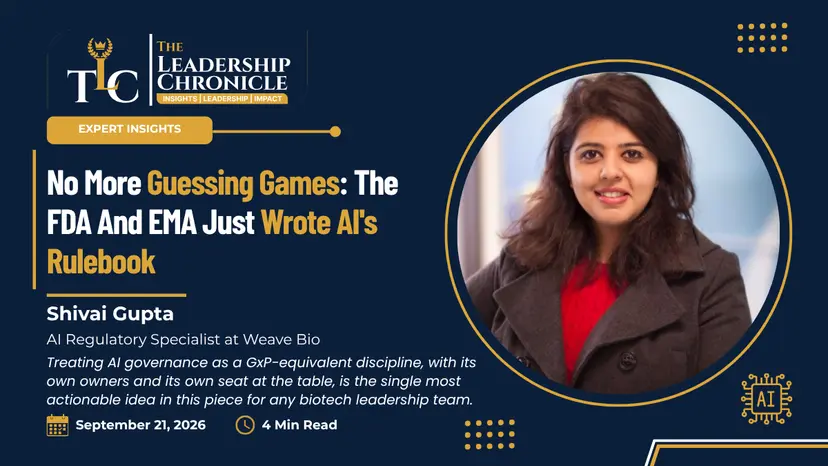
No More Guessing Games: The FDA and EMA Just Wrote AI’s Rulebook

Two years ago, a pharma sponsor asked the FDA a simple question: “Can we use AI to identify patients most likely to respond to our therapy?” The answer, in essence, was “it depends, and we’ll figure it out together.”That answer no longer holds. In the span of twelve months, the FDA and EMA have moved from case-by-case improvisation to the most significant AI framework in the history of modern clinical research. For sponsors, CROs, and biotech leadership, this isn’t a future consideration. It’s a compliance conversation happening right nowThe Regulatory Shift You Need to Know AboutTwo milestones define this new era.January 2025, FDA Draft Guidance. “Considerations for the Use of AI to Support Regulatory Decision-Making for Drug & Biological Products” introduced a seven-step, risk-based credibility framework for evaluating AI models used in submissions. This wasn’t written in a vacuum: the FDA has received more than 800 AI-component submissions since 2016. Nearly a decade of hands-on review experience is baked into this framework, which is exactly what makes it so different from the ad hoc guidance sponsors were navigating even two years ago.January 2026, FDA + EMA Joint Principles. The two agencies released ten Guiding Principles for Good AI Practice in Drug Development, the first coordinated transatlantic regulatory position on AI in pharma. For global sponsors, this is the end of trying to satisfy two separate regulatory philosophies with two separate strategies. There is now one shared standard to build toward.Having spent years working across CMC, digital biotech, and regulatory science, including time inside the FDA itself before moving into industry, I’ve watched this shift from both sides of the table. The agencies didn’t get more permissive. They got more precise. And precision is something sponsors can actually build a strategy around.“This is a rare case of regulators getting ahead of an industry’s growing pains instead of two years behind them. That alone should change how boards prioritize AI governance conversations.”What This Means For SponsorsHere’s the mindset shift that matters most: the sponsors who thrive in this new environment won’t be the ones with the most sophisticated models. They’ll be the ones who can explain those models clearly to a regulator, and stand behind every decision the model influenced.That’s a scientific communication problem as much as a technical one. Practically, it breaks down into five disciplines:1. Specify exactly how each AI model is used in your study. Vague descriptions of “AI-assisted analysis” no longer clear the bar. Regulators want to know the model’s role, inputs, and boundaries in your trial design.2. Identify, quantify, and mitigate risks to the trial. This means building a risk assessment into your protocol from day one, not retrofitting one after a question from reviewers.3. Validate continuously, not once. Models degrade as data environments shift, a phenomenon known as data drift. A model validated at trial start can behave differently eighteen months later if the underlying data population changes. Ongoing validation isn’t optional; it’s the new baseline expectation.4. Integrate data scientists with clinical leads throughout the trial, not as a handoff. The sponsors who struggle are the ones where data science and clinical operations work in sequence. The ones who succeed build those functions into one continuous conversation, from protocol design through database lock.5. Keep humans accountable. AI supports the decision. It does not make it. Every regulatory framework published in the last eighteen months reinforces this principle, and it’s the one non-negotiable that underlies all the others.“Notice that none of these five disciplines are technical in the AI-engineering sense. They read closer to what a regulatory affairs team already does — which suggests the real skill gap most sponsors need to close isn’t data science. It is translation.”The Big PictureWhat’s striking is just how far AI has already spread across the clinical trial lifecycle. It’s no longer confined to one function. It now shapes how trials are designed, how patients are recruited and matched to studies, how biomarker and real-world evidence data gets analyzed, how safety signals get caught early, and how manufacturing gets optimized. Each of these areas now comes with its own documentation and validation expectations under the new frameworks. That’s a lot of ground for a sponsor to cover, which is exactly why this has shifted from a “watch this space” conversation to a “build this into your operating model” conversation.Where This Leaves SponsorsThe good news buried in all this new structure is that ambiguity was never really an advantage for anyone. Sponsors spent the last several years trying to anticipate what regulators might ask. Now there’s a published, risk-based framework and a transatlantic set of shared principles to build against. That’s a foundation, not a hurdle.The organizations that get ahead from here will treat AI governance the way they already treat GxP compliance: as a discipline with its own owners, its own documentation trail, and its own seat at the leadership table, not a side project bolted onto data science.“Treating AI governance as a GxP-equivalent discipline, with its own owners and its own seat at the table, is the single most actionable idea in this piece for any biotech leadership team building next year’s org chart.”Having worked across the full arc of this problem, from bench immunology research, through CMC and regulatory affairs, to building AI adoption strategies for biotech and pharma teams today, my read is straightforward: the agencies have done sponsors a favor. They’ve replaced guesswork with a rulebook. The work now is execution.For more details, visit: https://theleadershipchronicle.com/If you would like to get featured or want to know more, connect with us at [email protected] : https://www.linkedin.com/company/the-leadership-chronicle/Twitter : @TLChronicle

From Zero to Scale: A Technical Program Manager’s Playbook for Building Engineering Teams Finance & Wealth
Oct 15, 2026 • visibility 38 • 12 min read

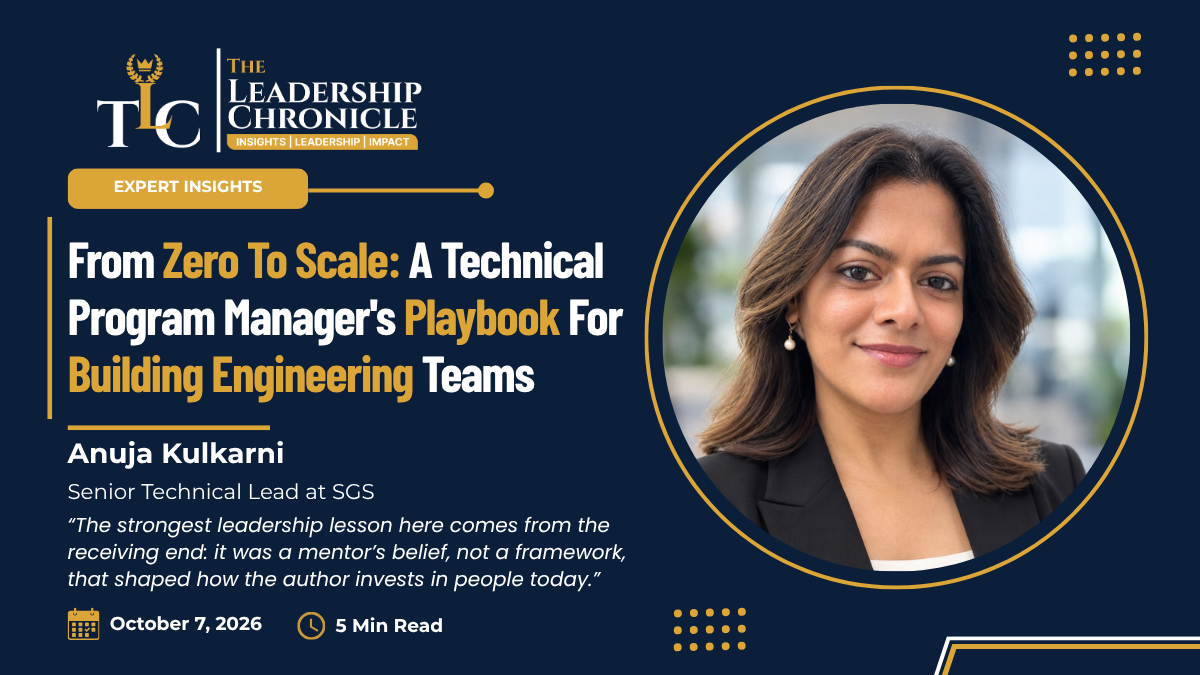
From Zero to Scale: A Technical Program Manager’s Playbook for Building Engineering Teams

Six principles for turning a handful of engineers into a high-performing organization, whatever industry you build in.Every engineering team starts small, with a mandate, a deadline and a few people who aren’t yet sure what “done” looks like. Whether it’s a fintech startup’s first platform squad, a medical-device company standing up a validation lab or an automaker building its first software division, the challenge is the same. Growth either strengthens the team or quietly breaks it.Technical program managers sit at the center of that transition. We rarely write the code or run the tests, but we shape the structures, rhythms and relationships that decide whether a team of five can become a team of fifty. Here is the playbook I have refined over more than a decade of building engineering teams.1. Start with a purpose, not a headcountWhen a new program lands, the first instinct is to ask for more people. Resist it. A small team with a sharp mission will outperform a larger one that is still debating what it’s for.I once launched an AT&T 5G field certification program with just four engineers, during the pandemic in 2020, when test sites were scarce and the standard itself didn’t exist yet. What carried us wasn’t headcount; it was clarity. Everyone knew what we had to prove and for whom. The framework we built became the industry’s entry criterion for 5G handset certification.The lesson: before you grow the team, make sure everyone on it can say, in their own words, why the work matters and who it helps.“Most scaling advice begins with hiring. This piece begins with purpose — a sequencing choice that explains how a four-person team could carry a difficult certification program before the standard itself existed.”2. Design roles around skills, not titlesIn a relatively new team everyone does everything, which feels agile until the first hard deadline. As the work grows, the TPM’s job is to break it into streams that run in parallel and match them to people’s strengths. Give junior engineers well-defined work with clear quality gates. Let senior engineers own the architecture, templates and hardest problems. Bring analysts in early so data isn’t an afterthought.Just as important is what the TPM doesn’t do. I don’t micromanage. Once the work is shaped, I let the leads take charge of their streams and hold them accountable for the outcome and for every step along the way. Spoon-feeding answers may feel faster, but it stops people from building the judgment a growing team depends on.Do this well and it does more than speed up delivery. It creates a growth ladder where people are stretched without being overwhelmed, and today’s juniors become tomorrow’s leads.3. Build the operating system before you need itWhat works for a team of five rarely works for fifteen. When know-how lives only in a few people’s heads, those people become bottlenecks as the team grows.Invest early in the unglamorous foundations such as onboarding guides, runbooks, a shared definition of “done,” standard templates and a decision log. None of it makes headlines, but it compounds. Each new hire becomes productive faster and strengthens the system instead of adding load to it.4. Protect the team from moving targetsAt Element, I stepped in mid-program when the original program manager left a vendor certification program for T-Mobile. We were coordinating twelve field engineers across six markets, with eight to ten test sites each. The acceptance criteria had never been formally documented, so new KPIs kept appearing and approved work kept being reopened. When the test markets changed mid-program, the team faced re-performing items that had already been signed off.Rather than absorb the churn, we documented a baseline, gave every requirement a traceable ID and moved work through staged gates that couldn’t slip backwards. The client adopted the structure, certification followed, and a tense relationship became a lasting partnership.The lesson: a TPM’s first duty to an engineering team is to absorb ambiguity so the engineers don’t have to.“Scope creep is usually discussed as a schedule risk. The author treats it as a people risk, and the fix — a documented baseline, traceable requirement IDs and gates that cannot slip backwards — is one any program lead can borrow this week.”5. Measure what matters, and make it visibleYou cannot scale what you cannot see. Choose a few metrics that reflect how the team actually delivers, such as cycle time, milestone adherence and defect escape rate, or deployment frequency and recovery time for software teams. Put them where everyone, from engineers to executives, can see them.Good metrics don’t police a team. They give it a shared version of the truth and let it fix problems before a customer finds them. This is where AI comes in these days. AI-assisted analytics can pull data from different tools, spot risks and trends early and turn raw results into clear reports in minutes rather than days. That frees the team to act on the numbers instead of spending hours compiling them.6. Let trust do the scalingScale is earned, not planned. A team that delivers consistently builds a reputation, the reputation brings in new work, and that work funds the next hire.The same logic applies inside the team. As it grows, the TPM has to shift from doing to enabling: delegating decisions, growing leads who own whole workstreams and stepping back from details that once needed them.I learned this from the other side. As a lead engineer, no one asked me to take charge or come up with new projects. But my director, a mentor in every sense, kept showing me what I couldn’t yet see in myself: that I could lead teams and shape a vision for the whole business unit. He saw me going places long before I did. That belief changed how I worked, and it is the biggest reason I invest in the people around me today.The lesson: great leaders don’t just delegate work; they help people see the leader they could become.“The strongest leadership lesson here comes from the receiving end: it was a mentor’s belief, not a framework, that shaped how the author invests in people today.”The TPM’s real jobWhen I look back, from mentoring my first junior engineers at BlackBerry to leading cross-regional teams today, the pattern is the same. Technical program managers don’t build teams by writing org charts. We build them by creating clarity, structure and trust, and then getting out of the way so talented engineers can do their best work.The metrics, certifications and revenue matter. But the measure I care about most is how many of the engineers I’ve worked with have gone on to lead teams of their own.As Albert Einstein put it: “Strive not to be a success, but rather to be of value.”For a technical program manager, that is the whole playbook in one line.For more details, visit: https://theleadershipchronicle.com/If you would like to get featured or want to know more, connect with us at [email protected] : https://www.linkedin.com/company/the-leadership-chronicle/Twitter : @TLChronicle